Read the law. Make it yours.
Marginalia is one desk for all of U.S. law — search it, read the real text, write in the margin, and your notes turn into a citation-backed draft. Here's the whole thing in five steps.
Ask in plain words
Type a phrase like “debt collection” or a citation like 15 U.S.C. 1692. Marginalia searches every U.S. law at once — the Constitution, the U.S. Code, regulations, all of it. Not ready to search? Pick a codebook up top and just browse.
Try a search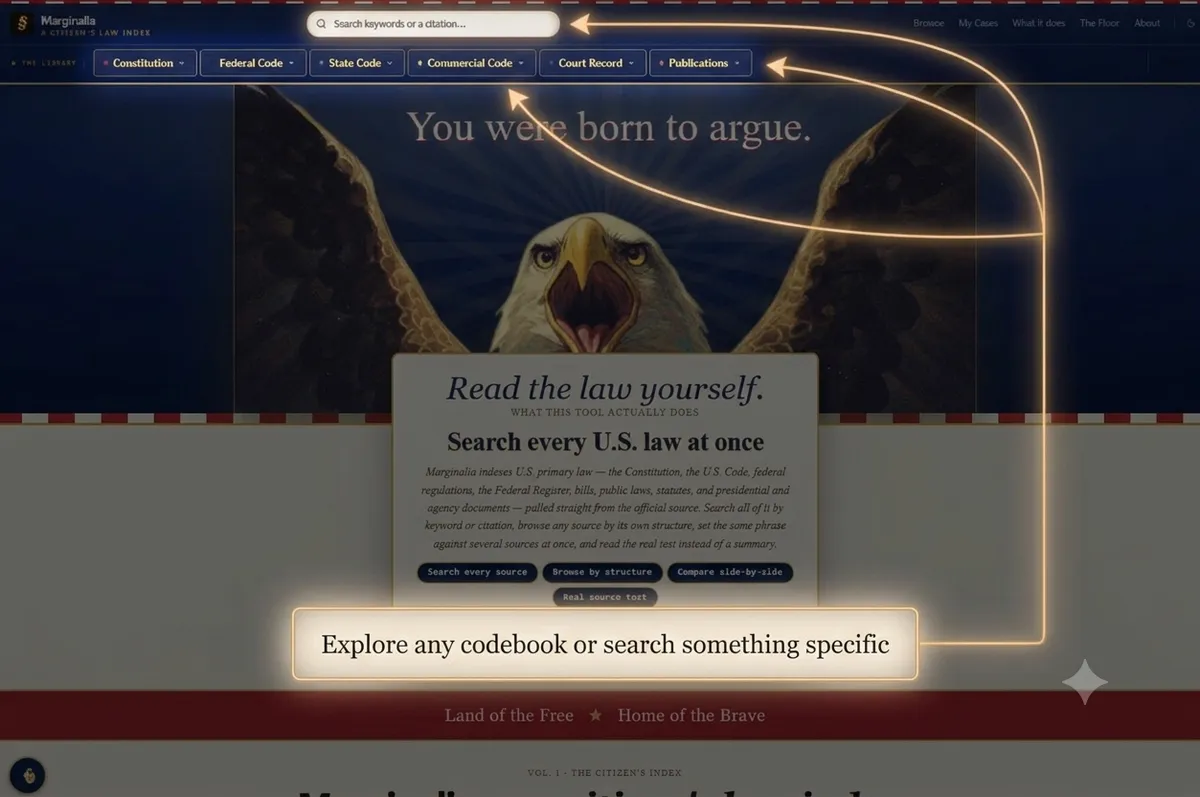
See what the law actually says
Results come straight from the source text, grouped by where they live. Tabs and side filters let you narrow by source or court level until you're looking at exactly the right rule — no summary standing in between.
Open search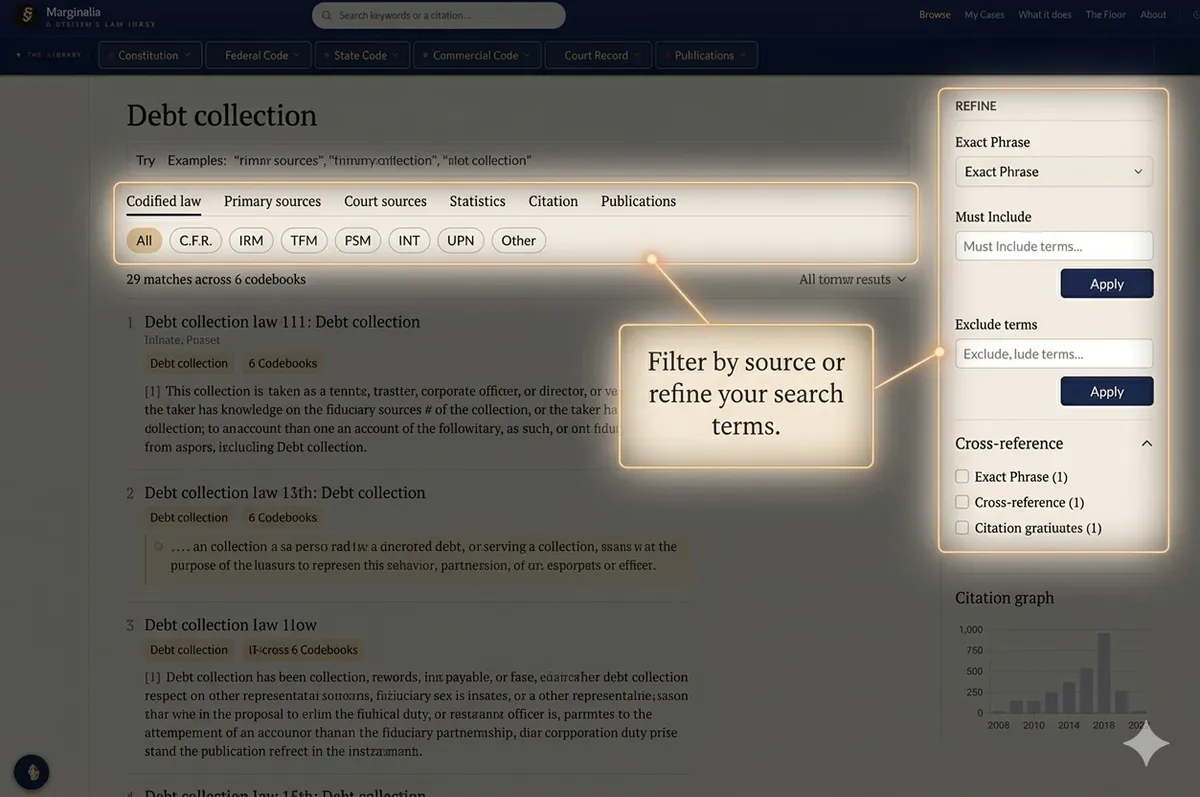
Read it — and write in the margin
Read the law. Consider how it applies to your situation. Write earnestly and factually. Don't try to conform the law to meet your needs. Just keep it simple. This is what it says... This is why it applies... Use @YourCaseName to save your note to that case file,
Start reading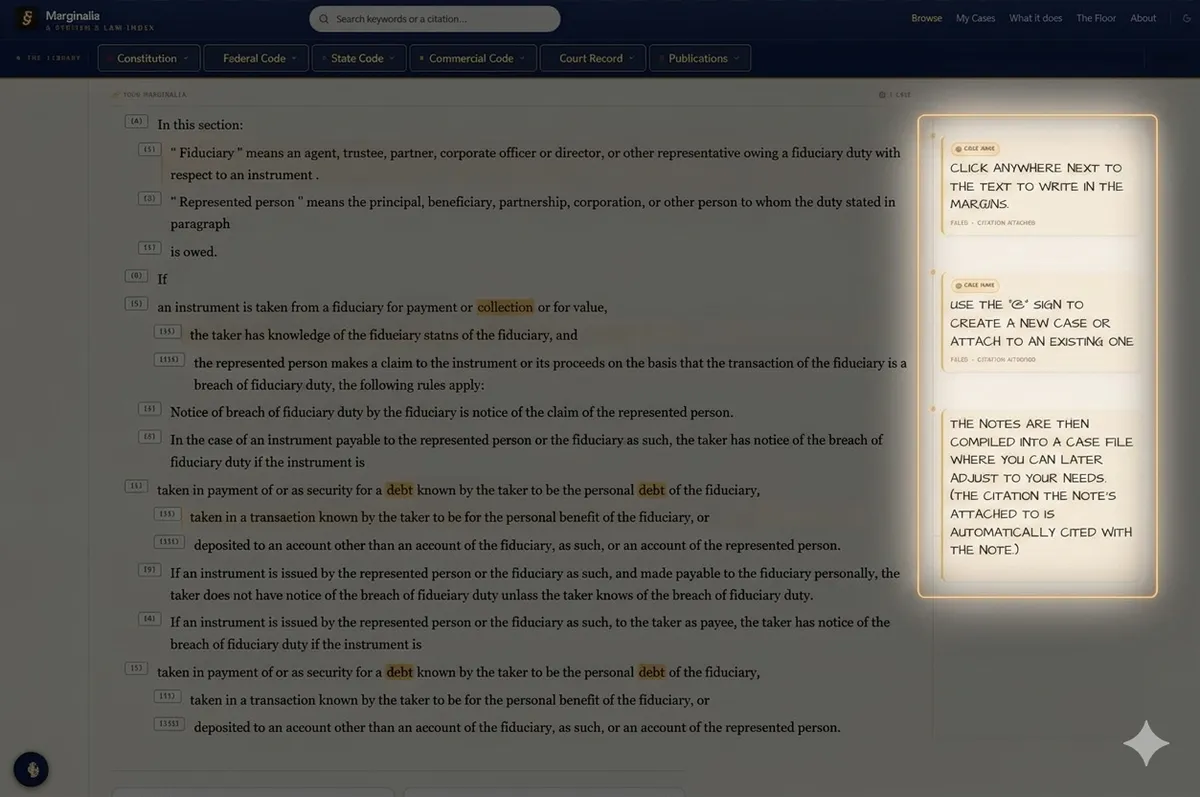
Your notes become a draft
Every margin note collects in My Cases. Drag them into the order that reads right and you've got a citation-backed rough draft pleading — in your own words. Your argument, with the law to back it.
See My Cases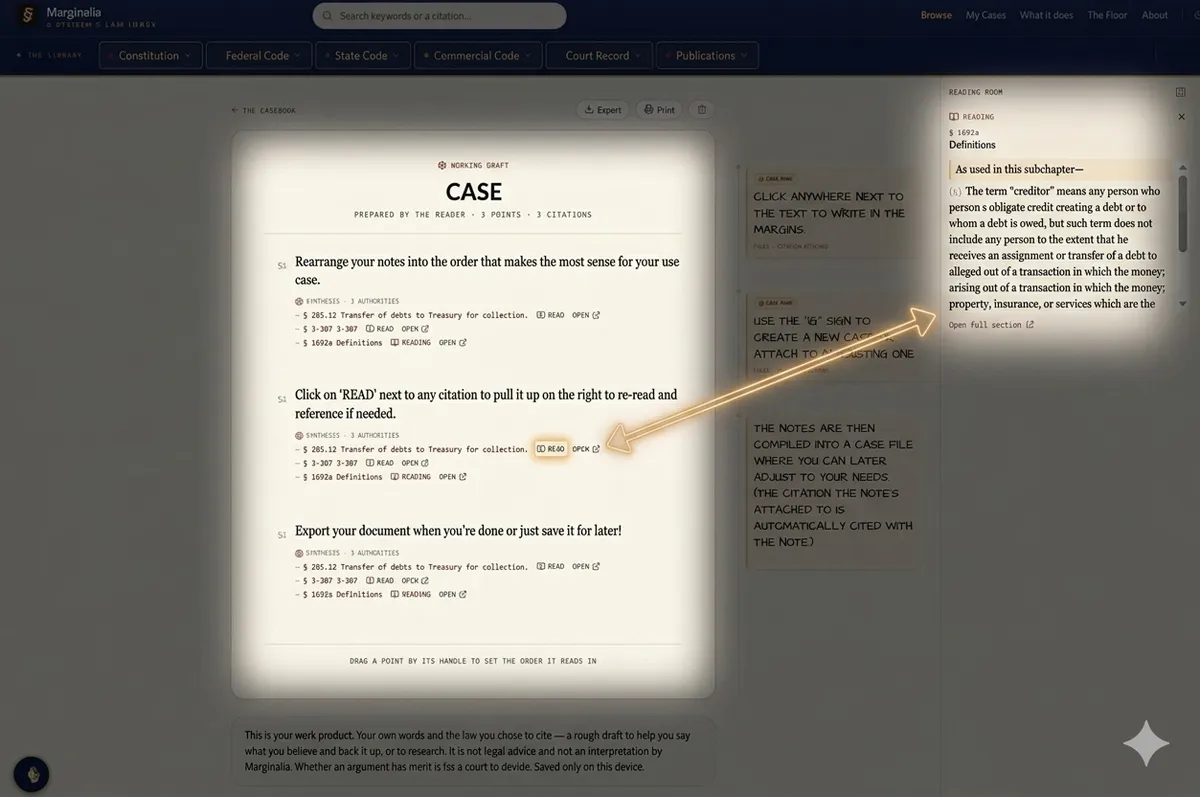
Hold sources side by side
Compare puts the same question against several sources at once, with matching terms highlighted across columns. Your Desk keeps working notes within reach the whole time.
Open Compare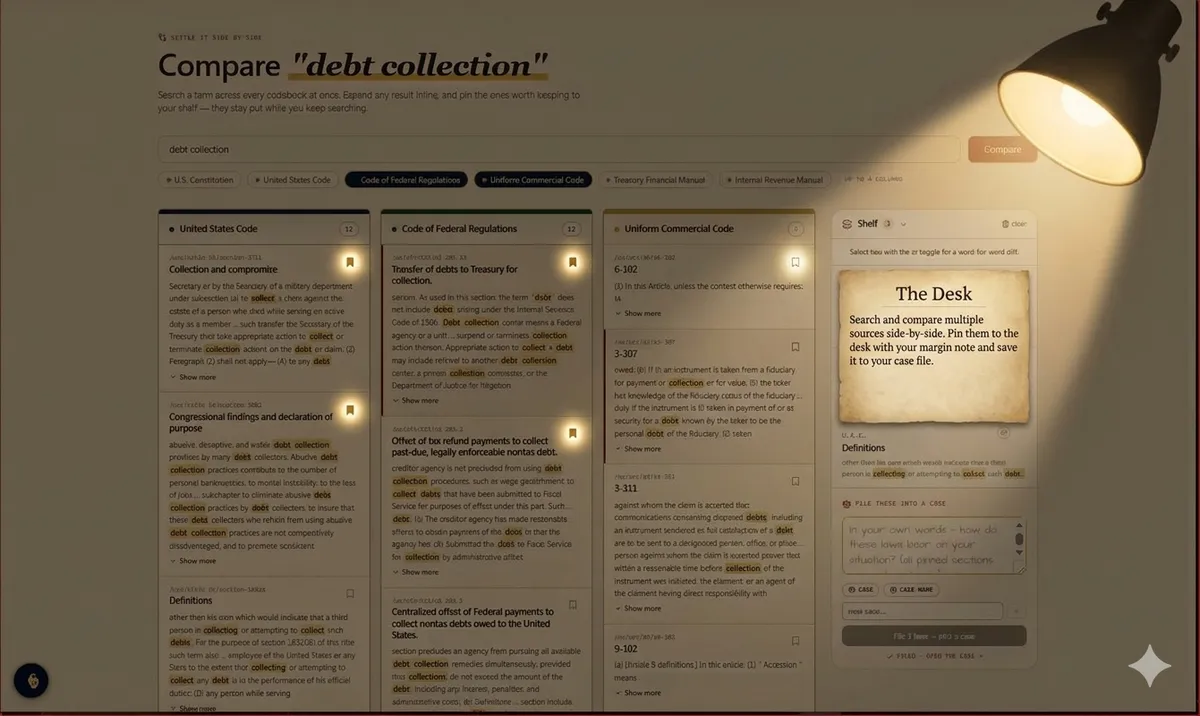
Court Outcomes
The law tells you what your rights are. Court Outcomes tells you what usually happens — win, settle, and dismissal rates by claim type and federal court, and reversal rates for state appeals. Descriptive statistics from millions of closed cases. Never a prediction about yours.
Explore Court Outcomes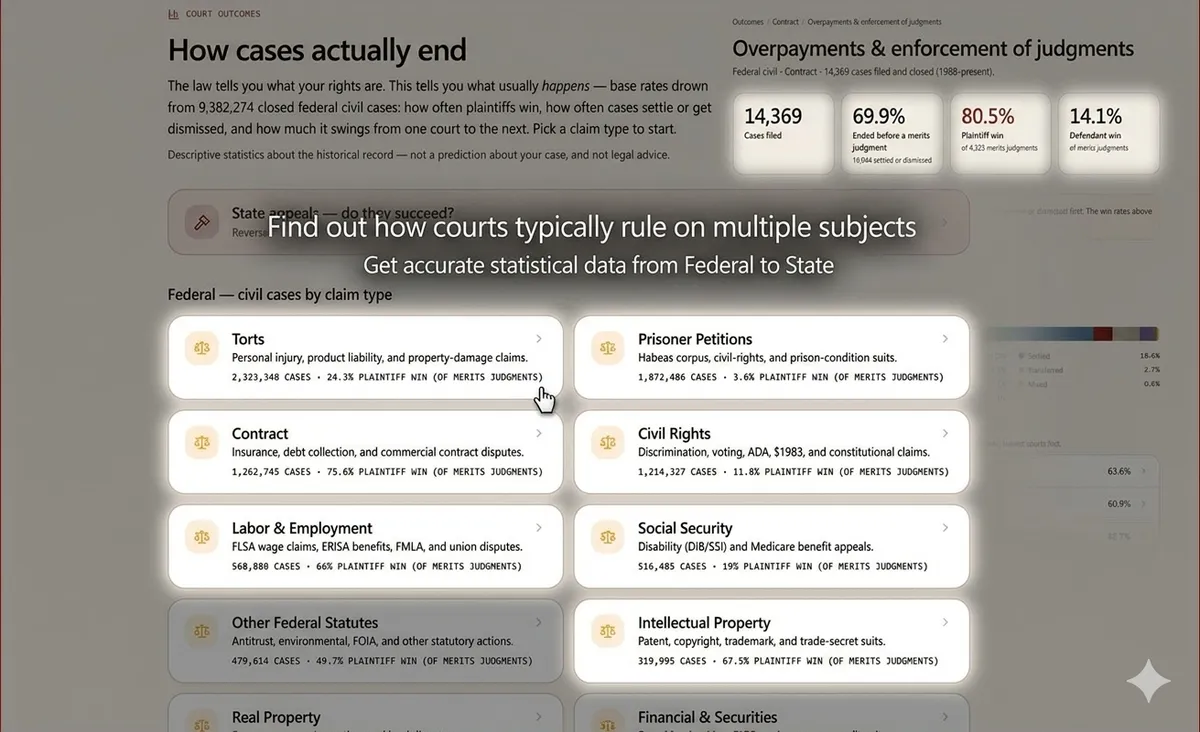
That's the whole desk.
No theories, no spin — the actual law, and the tools to work with it. It's not legal advice. It's your right to read the law and argue your own case.